Edit Text in‑place
This repo lets you click any text block in a PDF and type new content, just like a word processor.
word-sys/word-sys-pdf-editor
Simple, fast & open-source PDF editor
THE USEFUL PART
Simple, fast & open-source PDF editor
THE STACKRADAR WALKTHROUGH
A short introduction from our reel. See the project README for the current details.
This repo lets you click any text block in a PDF and type new content, just like a word processor.
This repo lets you run its built‐in OCR engine to turn scanned pages into selectable, searchable text layers.
This repo lets you apply a PAdES digital signature or verify existing signatures, ensuring document integrity.
GITHUB SNAPSHOT
Recorded counts, not a growth rate or a quality score.
OBSERVED STAR HISTORY
Daily source snapshots are collected automatically. A trend appears after at least two real observations—no invented historical growth.

FROM THE PROJECT
Source excerpts from the project's README. Not an independent review, verification or security audit.
Languages: English | Türkçe | Français | Deutsch | Español | Italiano | Русский
[](https://www.python.org/downloads/) [](LICENSE) [](https://github.com/word-sys/word-sys-pdf-editor/releases) [](https://flathub.org/apps/io.github.word_sys.word-sys-pdf-editor)
word-sys's PDF Editor is a simple and user-friendly tool developed for Pardus, Debian and other Linux distributions, focused on editing text, image and object content in PDF files. Developed from scratch in the spirit of #MilliTeknolojiHamlesi and TEKNOFEST 2025 to meet the need for a simple, free, open-source PDF editor in the Linux ecosystem, word-sys's PDF Editor serves both corporate and individual users, does most of the important and common jobs that other paid PDF Editors does and has lots of features which are easy to use, including those who prefer the Turkish language interface — and been the FIRST PLACE winner of the TEKNOFEST 2025 Pardus Development Competition.
Developer: Barın Güzeldemirci (word-sys) License: GPL-3.0-or-later
Recommended Stable Release: v1.12.1 — For the most stable experience, it is strongly recommended to use version 1.12.1. See the installation sections below for details on how to install this version.
| PDF Editing Canvas & Continuous Scroll | Welcome Screen & Document Hub |
|---|---|
| New Document Creation Dialog | Interactive Quick Start Guide & Manual |
| Visual Document Merging Workspace | Multi-Document Tabs & Verified Digital Signature Banner |
| Encrypted Document Password Unlock Dialog | PAdES Digital Signature & Hardware Token Dialog |
| Cryptographic Signature Verification & Details | Optical Character Recognition (OCR) Engine & Text Layer |
Dedicated Libadwaita Preferences Window (Ctrl+,) with customizable Sidebar Toolbar ordering/visibility, workflow presets, Hamburger Menu layouts, and consistent auto-switch to Select (Shift override)
Cross-Tab Page Drag-and-Drop (with 350 ms hover tab switching), persistent Page Clipboard (Ctrl+Shift+C / V / D), and Multi-Page Range Transfer across open tabs with full Undo/Redo
ISO 32000 Rich Text support in fillable AcroForm fields (/RV, /DS, synthesized /AP /N) with a floating Bold/Italic/Underline/Strikethrough/Size/Color mini-toolbar (Ctrl+B / I / U) and Form Builder toggle
Bidirectional SyncTeX LaTeX integration (--synctex-forward single-instance IPC + highlight pulse, Ctrl+Click & context menu backward search with external editor presets, and 400 ms debounced live PDF auto-reload)
Continuous vertical page scrolling with viewport-culled rendering, directional prefetching, and fractional scaling (HiDPI / 4K / Retina)
Interactive AcroForms Engine: fill text fields, checkboxes, radio groups, and dropdowns directly in View Mode, plus vector flattening
Interactive Form Builder Tool (B) to create, align, style, and configure new AcroForm fields
PAdES Baseline digital signatures using PKCS#12 software certificates and PKCS#11 hardware security tokens / smartcards (HSMs)
RFC 3161 cryptographic timestamping integration with custom TSA authentication
Non-blocking signature verification on document open with status banner and X.509 certificate inspector
Permanent cryptographic redaction (Shift+R) with automated PII search (SSN, credit cards, emails, phones, regex) and deep document sanitization
Multi-threaded streaming Optical Character Recognition (OCR) engine with live progress, pause/resume, and 7 neural language models
OCR Region Tool (O) for instant area text extraction and confidence layer inspector (Ctrl+Alt+O)
Sticky notes with customizable colors, author metadata, threaded replies, and annotations sidebar
Vector approval stamps (Approved, Confidential, Draft, dynamic user/date stamps)
Precision measurement tools: Distance Ruler (U) with scale calibrations and Polygon Area measurement (A)
PDF compression with Target Size solver and side-by-side visual quality comparison
AES-256 document password encryption and local secure password vault
Clone & Patch Tool (C) with clean background sampling and instant type-over text entry (Enter / T)
Interactive Quick Start Guide & Manual with 4 tabs, tool hotkeys, and instant live search filtering (F1 / Ctrl+F)
Create PDF files with customizable page dimensions and unit auto-conversion (mm, cm, in, pt, px)
Open and view PDF files
Merge PDFs with visual drag-and-drop page ordering
Select existing text blocks within a page
Edit or delete selected text
Add new text blocks to a page
Add images to a page with alpha transparency preservation
Font width/family support with Linux Fontconfig (fc-match) engine
Move/reposition objects within the PDF
Change font type, size, color, and decoration
Granular Word Selection and precise highlighting
Add shapes to PDFs (Rectangles, Ellipses, Checkmarks, Crosses)
Draw freehand Pen and Highlighter strokes with Bézier smoothing and vector scaling
Special Characters, Symbols & Emojis
Save edited PDFs and Quick Save (Ctrl + S)
Export PDFs to DOCX, PPTX, ODT, ODP, and TXT formats using the native anyconvert engine
Safe Save and Restricted Mode (Safe Mode)
Full multi-level Undo/Redo tracking (Ctrl + Z / Ctrl + Y)
Precision pointer-centered focal zoom (Ctrl + Scroll and Ctrl + + / - / 0)
Add/remove pages and rotate pages in PDFs
word-sys's PDF Editor includes the pure-Python anyconvert (PyPI) document engine for exporting PDFs without external dependencies such as LibreOffice.
Supported formats:
Microsoft Word (.docx)
Microsoft PowerPoint (.pptx)
OpenDocument Text (.odt)
OpenDocument Presentation (.odp)
Plain Text (.txt)
Conversion modes:
Pixel-Accurate Canvas (mode='canvas'): Preserves exact 1:1 visual positions of text, shapes, and images. Recommended for edited PDFs.
Semantic Flow (mode='flow'): Reconstructs headings, paragraphs, and reflowable text structure.
anyconvert can also be run independently from the command line:
anyconvert input.pdf -f docx -m canvas -o output.docxThere are several ways to install word-sys's PDF Editor on your system:
word-sys's PDF Editor is officially available on Flathub.
Install using Flatpak:
flatpak install flathub io.github.word_sys.word-sys-pdf-editorRun the application:
flatpak run io.github.word_sys.word-sys-pdf-editorThis method is the easiest installation path for Debian, Ubuntu, and Pardus distributions.
Download the latest .deb package from the GitHub Releases page. The file will typically be named word-sys-pdf-editor_1.12.1_amd64.deb (or arm64.deb for ARM64).
Use version 1.12.1 for the most stable experience: look for word-sys-pdf-editor_1.12.1_amd64.deb on the releases page.
Open a terminal in the directory where you downloaded the .deb file.
Run the following command to install the package:
    sudo apt update
    sudo apt install ./word-sys-pdf-editor_1.12.1_amd64.deb
(Note: Replace word-sys-pdf-editor_1.12.1_amd64.deb with the exact filename you downloaded if different, such as arm64.)
If you encounter a dependency error during installation, it may happens because of you existing broken system, firstly try running the following command to fix missing dependencies or problems on your other packages:
sudo apt --fix-broken installOnce installation is complete, you can launch word-sys's PDF Editor from your application menu.
This method is the easiest usable path for all Linux distributions.
Download the latest .AppImage or -linux-.tar.gz package from the GitHub Releases page. The file will typically be named word-sys-pdf-editor-x86_64.AppImage (or -aarch64.AppImage) or word-sys-pdf-editor-linux-x86_64.tar.gz.
Use version 1.12.1 for the most stable experience: look for v1.12.1 tag on the releases page.
Open a terminal in the directory where you downloaded the word-sys-pdf-editor-x86_64.AppImage file.
Run this command to make it executable:
chmod +x word-sys-pdf-editor-x86_64.AppImageDouble-click the AppImage file or run in terminal:
./word-sys-pdf-editor-x86_64.AppImageOpen a terminal in the directory where you downloaded the word-sys-pdf-editor-linux-x86_64.tar.gz file.
Unzip the archive:
tar -xzf word-sys-pdf-editor-linux-x86_64.tar.gzNavigate to the extracted directory:
cd AppDirMake the AppRun executable:
chmod +x AppRunRun the application:
./AppRunThis method is suitable for users who want to run the application directly from source code or contribute to development.
For a stable experience, use the v1.12.1 tag when cloning. If you want to test the latest development changes, you can clone the main branch directly — but note that it may be less stable.
Install Required Dependencies:
Make sure the following packages are installed on your system. Run this command in your terminal:
    sudo apt update
    sudo apt install python3 python3-pip python3-venv \
                     python3-gi python3-gi-cairo gir1.2-gtk-4.0 gir1.2-adw-1 libgirepository1.0-dev \
                     python3-numpy python3-cryptography \
                     python3-dev libcairo2-dev build-essential \
                     fonts-noto-core fonts-liberation2
Download the Source Code:
Recommended (stable v1.12.1):
    git clone --branch v1.12.1 https://github.com/word-sys/word-sys-pdf-editor.git
    cd word-sys-pdf-editor
For testing / latest development build (may be unstable):
    git clone https://github.com/word-sys/word-sys-pdf-editor.git
    cd word-sys-pdf-editor
Create and Activate a Virtual Environment (Recommended):
Creating a virtual environment in the project directory helps isolate Python dependencies from system-wide installations.
    python3 -m venv venv
    source venv/bin/activate
(You can use deactivate later to exit the virtual environment.)
Install Python Dependencies:
Install the core Python dependencies (PyMuPDF, numpy, anyconvert, cryptography, Pillow, pyhanko, python-pkcs11, and certifi):
pip install "PyMuPDF>=1.24.0,<2.0.0" numpy "anyconvert>=0.1.13" "cryptography>=41.0.0" "Pillow>=9.0.0" "pyhanko[image-support,opentype]>=0.25.0" "pyhanko-certvalidator>=0.24.0" "python-pkcs11>=0.7.0" "asn1crypto>=1.5.1" certifi pygobject==3.50.0Run the Application:
From the project root directory (where you extracted or cloned the source code), run:
python3 run-editor.pyInstall Required Dependencies:
    sudo apt update
    sudo apt install python3 python3-pip python3-venv \
                     python3-gi python3-gi-cairo gir1.2-gtk-4.0 gir1.2-adw-1 libgirepository-2.0-dev \
                     python3-numpy python3-cryptography \
                     python3-dev libcairo2-dev build-essential \
                     fonts-noto-core fonts-liberation2
Download the Source Code:
Recommended (stable v1.12.1):
    git clone --branch v1.12.1 https://github.com/word-sys/word-sys-pdf-editor.git
    cd word-sys-pdf-editor
For testing / latest development build (may be unstable):
    git clone https://github.com/word-sys/word-sys-pdf-editor.git
    cd word-sys-pdf-editor
Create and Activate a Virtual Environment:
    python3 -m venv venv
    source venv/bin/activate
(You can use deactivate later to exit the virtual environment.)
Install Python Dependencies:
pip install "PyMuPDF>=1.24.0,<2.0.0" numpy "anyconvert>=0.1.13" "cryptography>=41.0.0" "Pillow>=9.0.0" "pyhanko[image-support,opentype]>=0.25.0" "pyhanko-certvalidator>=0.24.0" "python-pkcs11>=0.7.0" "asn1crypto>=1.5.1" certifi pygobjectRun the Application:
python3 run-editor.pyDownload the Source Code:
Recommended (stable v1.12.1):
    git clone --branch v1.12.1 https://github.com/word-sys/word-sys-pdf-editor.git
    cd word-sys-pdf-editor
For testing / latest development build (may be unstable):
    git clone https://github.com/word-sys/word-sys-pdf-editor.git
    cd word-sys-pdf-editor
Create and Activate a Virtual Environment:
    python3 -m venv venv
    source venv/bin/activate
(You can use deactivate later to exit the virtual environment.)
Install Python Dependencies:
pip install "PyMuPDF>=1.24.0,<2.0.0" numpy "anyconvert>=0.1.13" "cryptography>=41.0.0" "Pillow>=9.0.0" "pyhanko[image-support,opentype]>=0.25.0" "pyhanko-certvalidator>=0.24.0" "python-pkcs11>=0.7.0" "asn1crypto>=1.5.1" certifi pygobjectRun the Application:
python3 run-editor.pyCONGRATULATIONS! You have successfully launched word-sys's PDF Editor!
Download, build and install:
    git clone https://aur.archlinux.org/word-sys-pdf-editor
    makepkg -sfi
People using the yay AUR helper could build and install it using:
yay -S word-sys-pdf-editoror if you prefer to use paru:
paru -S word-sys-pdf-editorOr you can use -bin package on AUR:
yay -S word-sys-pdf-editor-binor if you prefer to use paru:
paru -S word-sys-pdf-editor-binRun the Application:
word-sys-pdf-editorYou can also use your application launcher to execute word-sys's PDF Editor
If you encounter any bugs, have a feature request, or want to leave general feedback, please use the GitHub Issues section.
word-sys's PDF Editor is an open-source project and welcomes contributions! If you'd like to contribute, please follow these steps:
Fork this repository.
Create your own branch for a new feature or bug fix (git checkout -b feature/new-feature or git checkout -b fix/bug-name).
Make your changes and commit them (git commit -am 'Added new feature').
Push your branch to GitHub (git push origin feature/new-feature).
Open a Pull Request (PR).
This project is licensed under the GNU General Public License v3.0 or later.
Read the original READMEKEEP EXPLORING
 Repository preview
strelov1/freehire
Open-source search engine aggregating 3.3M+ tech jobs directly from 294k+ company career pages. Zero recruiters, no reposts.
git clone https://github.com/strelov1/freehire.gitzenhostai/9drive
Virtual storage gateway pooling multiple free Google Drive accounts into a combined 60GB+ high-speed personal bucket.
git clone https://github.com/zenhostai/9drive.git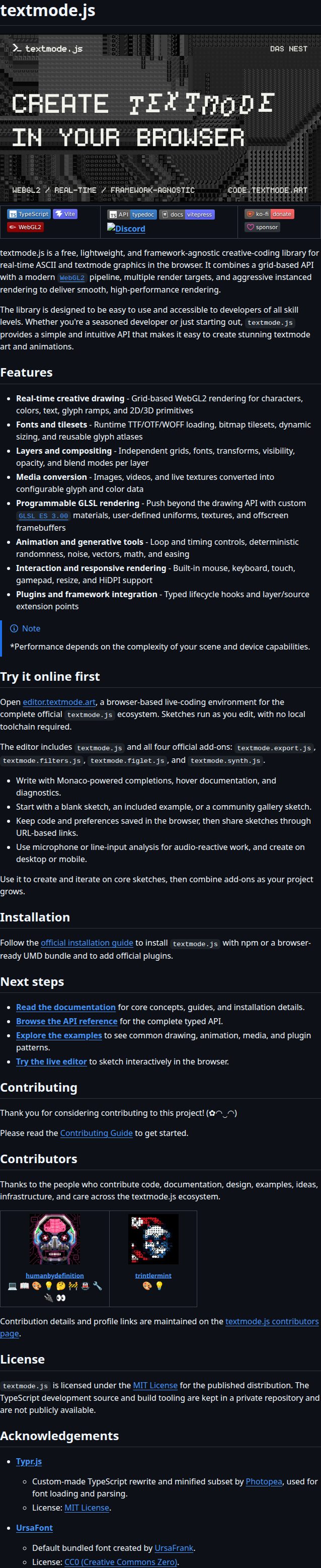 Repository screenshot
humanbydefinition/textmode.js
textmode.js is a lightweight creative coding library for creating real-time ASCII art on the web.
git clone https://github.com/humanbydefinition/textmode.js.git
Short demos. New discoveries. Less noise in your feed.