Hardware Decoding Boosts Playback
Enable --hwdec to offload video decoding to your GPU, keeping playback smooth on modest CPUs.
THE USEFUL PART
🎥 Command line media player
THE STACKRADAR WALKTHROUGH
A short introduction from our reel. See the project README for the current details.
Enable --hwdec to offload video decoding to your GPU, keeping playback smooth on modest CPUs.
mpv’s shader‐based video output lets you apply high‐quality scaling filters for clearer images.
Lua scripts power an on‐screen controller, letting you tweak playback without leaving the video.
GITHUB SNAPSHOT
Recorded counts, not a growth rate or a quality score.
OBSERVED STAR HISTORY
Daily source snapshots are collected automatically. A trend appears after at least two real observations—no invented historical growth.

FROM THE PROJECT
Source excerpts from the project's README. Not an independent review, verification or security audit.
External links
Overview
System requirements
Downloads
Changelog
Compilation
Release cycle
Bug reports
Contributing
License
Contact
Wiki
User Scripts
FAQ
Manual
mpv is a free (as in freedom) media player for the command line. It supports a wide variety of media file formats, audio and video codecs, and subtitle types.
There is a FAQ.
Releases can be found on the release list.
A not too ancient Linux (usually, only the latest releases of distributions
are actively supported), Windows 10 1607 or later, or macOS 10.15 or later.
A somewhat capable CPU. Hardware decoding might help if the CPU is too slow to
decode video in realtime, but must be explicitly enabled with the --hwdec option.
A not too crappy GPU. mpv's focus is not on power-efficient playback on
embedded or integrated GPUs (for example, hardware decoding is not even enabled by default). Low power GPUs may cause issues like tearing, stutter, etc. On such GPUs, it's recommended to use --profile=fast for smooth playback. The main video output uses shaders for video rendering and scaling, rather than GPU fixed function hardware. On Windows, you might want to make sure the graphics drivers are current. In some cases, ancient fallback video output methods can help (such as --vo=xv on Linux), but this use is not recommended or supported.
mpv does not go out of its way to break on older hardware or old, unsupported operating systems, but development is not done with them in mind. Keeping compatibility with such setups is not guaranteed. If things work, consider it a happy accident.
For semi-official builds and third-party packages please see mpv.io/installation.
There is no complete changelog; however, changes to the player core interface are listed in the interface changelog.
Changes to the C API are documented in the client API changelog.
The release list has a summary of most of the important changes on every release.
Changes to the default key bindings are indicated in restore-old-bindings.conf.
Changes to the default OSC bindings are indicated in restore-osc-bindings.conf.
Compiling with full features requires development files for several external libraries. Mpv requires meson to build. Meson can be obtained from your distro or PyPI.
After creating your build directory (e.g. meson setup build), you can view a list of all the build options via meson configure build. You could also just simply look at the meson_options.txt file. Logs are stored in meson-logs within your build directory.
Example:
meson setup build meson compile -C build meson install -C build
For libplacebo, meson can use a git check out as a subproject for a convenient way to compile mpv if a sufficient libplacebo version is not easily available in the build environment. It will be statically linked with mpv. Example:
mkdir -p subprojects git clone https://code.videolan.org/videolan/libplacebo.git --depth=1 --recursive subprojects/libplacebo
Essential dependencies (incomplete list):
gcc or clang
X development headers (xlib, xrandr, xext, xscrnsaver, xpresent, libvdpau,
libGL, GLX, EGL, xv, ...)
Audio output development headers (libasound/ALSA, pulseaudio)
FFmpeg libraries (libavutil libavcodec libavformat libswscale libavfilter
and either libswresample or libavresample)
libplacebo
zlib
iconv (normally provided by the system libc)
libass (OSD, OSC, text subtitles)
Lua (optional, required for the OSC pseudo-GUI and youtube-dl integration)
libjpeg (optional, used for screenshots only)
uchardet (optional, for subtitle charset detection)
nvdec and vaapi libraries for hardware decoding on Linux (optional)
Libass dependencies (when building libass):
gcc or clang, nasm on x86 and x86_64
fribidi, freetype, fontconfig development headers (for libass)
harfbuzz (required for correct rendering of combining characters, particularly
for correct rendering of non-English text on macOS, and Arabic/Indic scripts on any platform)
FFmpeg dependencies (when building FFmpeg):
gcc or clang, nasm on x86 and x86_64
OpenSSL or GnuTLS (have to be explicitly enabled when compiling FFmpeg)
libx264/libmp3lame/libfdk-aac if you want to use encoding (have to be
explicitly enabled when compiling FFmpeg)
For native DASH playback, FFmpeg needs to be built with --enable-libxml2
(although there are security implications, and DASH support has lots of bugs).
AV1 decoding support requires dav1d.
For good nvidia support on Linux, make sure nv-codec-headers is installed
and can be found by configure.
Most of the above libraries are available in suitable versions on normal Linux distributions. For ease of compiling the latest git master of everything, you may wish to use the separately available build wrapper (mpv-build) which first compiles FFmpeg libraries and libass, and then compiles the player statically linked against those.
If you want to build a Windows binary, see Windows compilation.
Once or twice a year, a release is cut off from the current development state and is assigned a 0.X.0 version number. No further maintenance is done, except in the event of security issues.
The goal of releases is to make Linux distributions happy. Linux distributions are also expected to apply their own patches in case of bugs.
Releases other than the latest release are unsupported and unmaintained.
See the release policy document for more information.
Please use the issue tracker provided by GitHub to send us bug reports or feature requests. Follow the template's instructions or the issue will likely be ignored or closed as invalid.
Questions can be asked in the discussions or on IRC (see Contact below).
Please read contribute.md.
For small changes you can just send us pull requests through GitHub. For bigger changes come and talk to us on IRC before you start working on them. It will make code review easier for both parties later on.
You can check the wiki or the issue tracker for ideas on what you could contribute with.
GPLv2 "or later" by default, LGPLv2.1 "or later" with -Dgpl=false. See details.
This software is based on the MPlayer project. Before mpv existed as a project, the code base was briefly developed under the mplayer2 project. For details, see the FAQ.
Most activity happens on the IRC channel and the GitHub issue tracker.
GitHub issue tracker: issue tracker (report bugs here)
Discussions: discussions
User IRC Channel: #mpv on irc.libera.chat
Developer IRC Channel: #mpv-devel on irc.libera.chat
Read the original READMEKEEP EXPLORING
 Repository preview
strelov1/freehire
Open-source search engine aggregating 3.3M+ tech jobs directly from 294k+ company career pages. Zero recruiters, no reposts.
git clone https://github.com/strelov1/freehire.gitzenhostai/9drive
Virtual storage gateway pooling multiple free Google Drive accounts into a combined 60GB+ high-speed personal bucket.
git clone https://github.com/zenhostai/9drive.git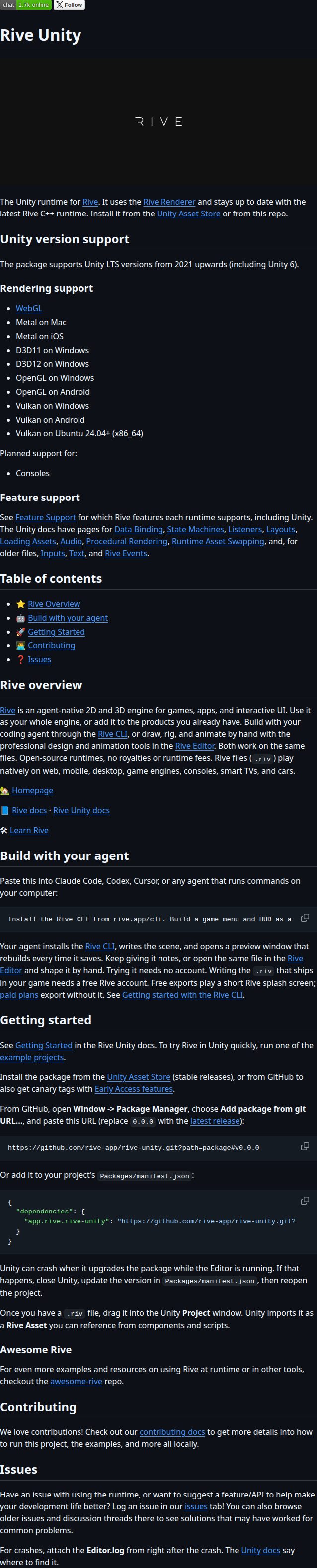 Repository screenshot
rive-app/rive-unity
Unity runtime for Rive, the agent-native 2D and 3D engine for games, apps, and interactive UI.
git clone https://github.com/rive-app/rive-unity.git
Short demos. New discoveries. Less noise in your feed.